Last updated on 2025-11-27, by
How to Record Facebook Live Stream for Free on PC?
Summary:
- Want to record Facebook live streaming videos? Here in this post, you could get 4 different ways/tools to record Facebook live contents with ease.
Can you record Facebook Live streaming? Of course. While Facebook is one of the most popular social networking platforms, Facebook Live without doubt grabs a big market share in the live streaming industry. Many Facebook users have been live-streaming on Facebook Live. And there are always occasions when you want to save your own or others’ Facebook Live streaming contents. Though Facebook Live offers official recording feature, it has multiple limitations: automatic deletion in certain period, and no support for recording others’ Facebook Live streaming contents, along with other minor limitations. Therefore, there have been various Facebook live stream recorders designed and developed. In this post, we would like to show you how to record a Facebook live video with different Facebook live stream recorders.
OutlineCLOSE
How to Record Live on Facebook with Free CleverGet Recorder?
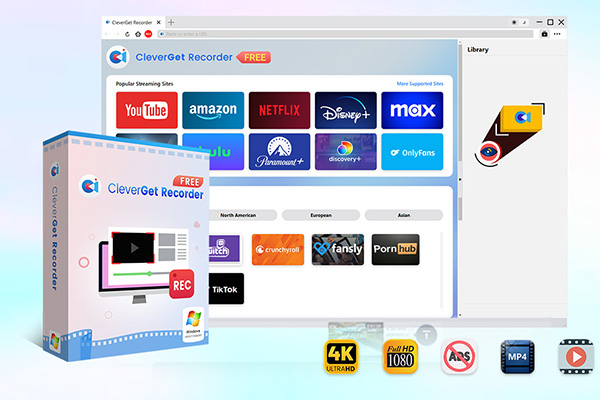
The very first Facebook Live stream recorder recommended is CleverGet Recorder, a professional and free streaming video recorder that could record live streaming videos (like Facebook Live, YouTube Live, Twitch, etc.), on-demand video (regular online videos), and even DRM-protected streaming videos (from streaming services like Netflix, Hulu, Disney+, Amazon, etc.) to save at up to 4K MP4/MKV files for totally free. Moreover, this free streaming video recorder could automatically skip ads during recording. Performing as Facebook live stream recorder, it could easily record Facebook Live streaming contents for unlimited offline watching.
-
- 100% free streaming video recorder.
- Record both online on-demand and live streaming videos.
- Record up to 4K 60 FPS video to MP4 or MKV.
- Schedule recording on preset recording length.
- No watermark, no time limit, and ad-skipping (beta).
The below guide would show you how to record live on Facebook for free with CleverGet Recorder.
Step 1: Pre-recording settings
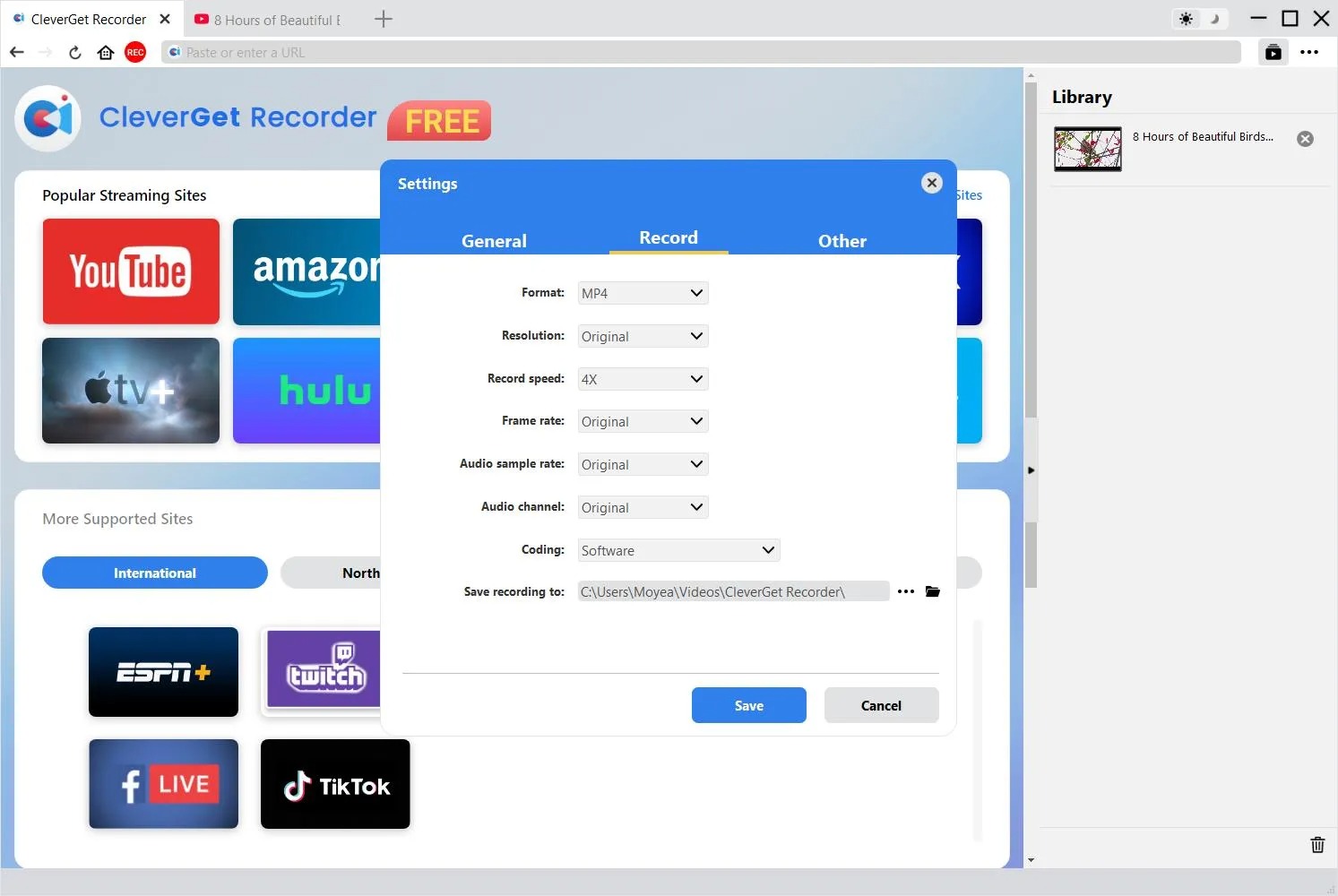
Download, install and kick off CleverGet Recorder. Click the “More” option icon at the top-right corner and then choose “Settings” option to set recording related settings under the “Settings > Record” tab.
Step 2: Open Facebook Live streaming page
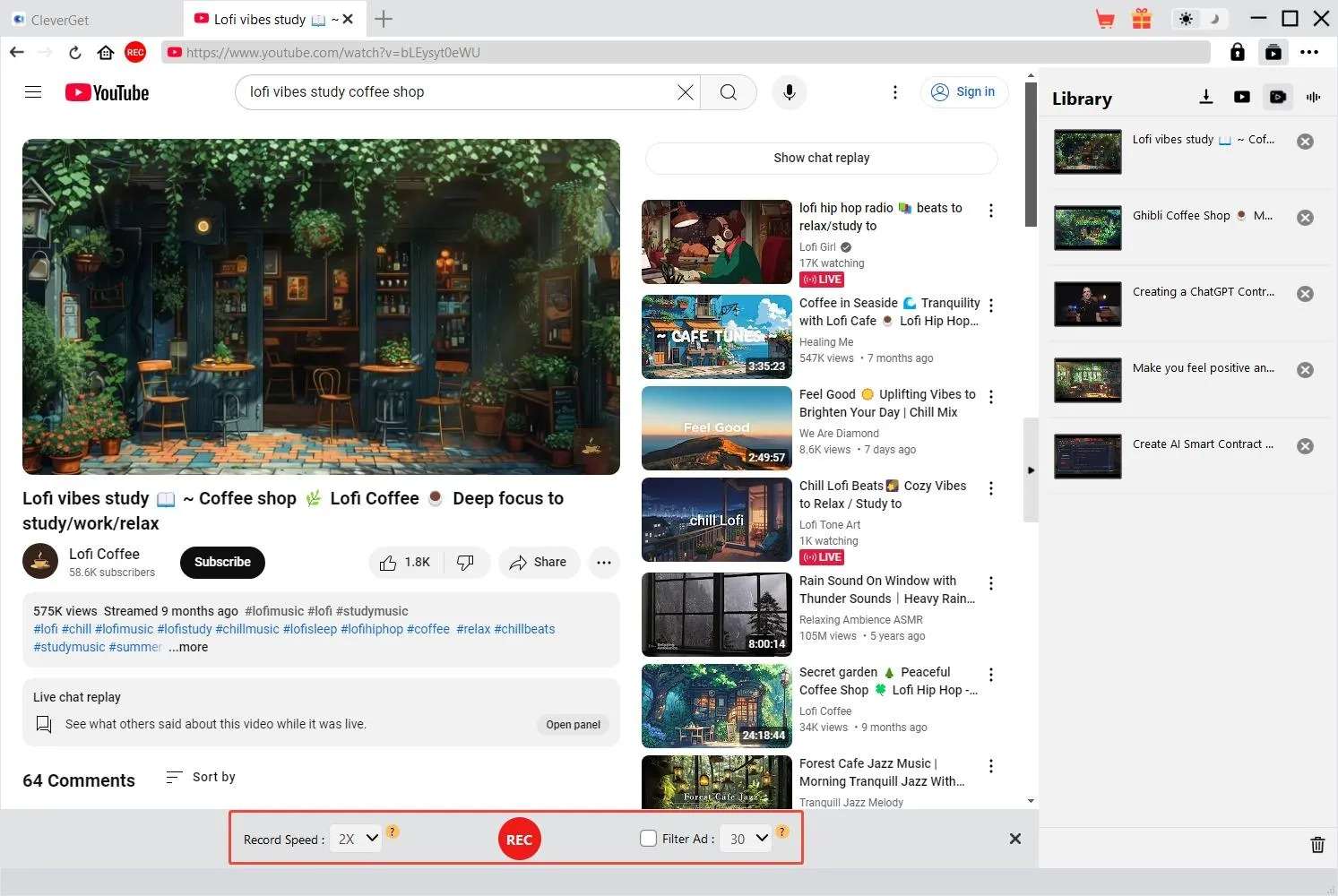
On CleverGet Recorder, open the Facebook live streaming page. And then click the red “REC” button to call out the recording toolbar.
Step 3: Start recording Facebook live stream
On the recording toolbar, confirm the recording settings and then click the red “REC” button to start recording Facebook Live streaming video. You then could view the entire recording process. Stop recording Facebook live stream anytime you want by clicking the red “Stop” button on the recording toolbar.
How to Record a Facebook Live Video with Xbox Game Bar?
For Windows 10/11 users, there is a built-in screen recording tool, called Xbox Game Bar. Xbox Game Bar allows Windows 10 and 11 users to capture and share screen easily. Different from CleverGet Recorder, which directly records online video streaming contents, Xbox Game Bar will record a certain area of your screen. That means you have to set the recording area according to the Facebook Live streaming dialogue.
The below guide would show you how to record live on Facebook with Xbox Game Bar.
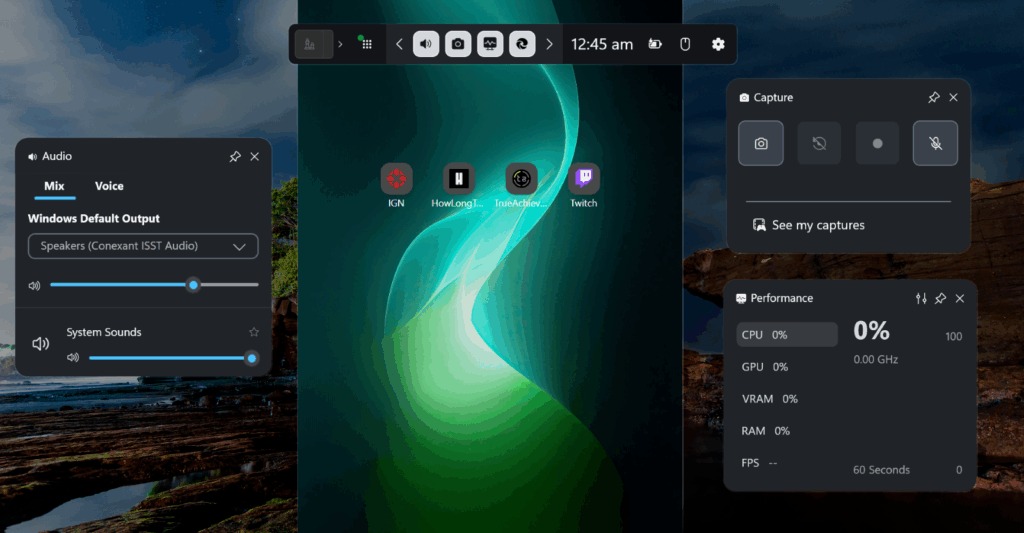
Step 1. Make sure you have already enabled Xbox Game Bar on your computer in “Settings > Gaming > Game Bar”. Enable it if needed.
Step 2. Open your browser and then log into Facebook to open the Facebook live stream page.
Step 3. Press “Windows + G” keys to call out the Game Bar.
Step 4. Click the record button to start recording.
Step 5. A small capture status window will pop up, where you could view recording process, enable microphone, stop recording by clicking the “Stop” button.
It should be noted that Xbox Game Bar only records a browser tab or an app. It records a single application window at a time only.
How to Record Facebook Live Stream with OBS?
OBS Studio is another Facebook live stream recorder tool to help you record Facebook live streaming contents. It is an open-source free video recording and live streaming combination tool. With it, you could record live streaming contents from YouTube Live, Facebook Live, Twitch, etc. on Windows, Mac and Linux.
The below guide would show you how to record a Facebook live video with OBS:
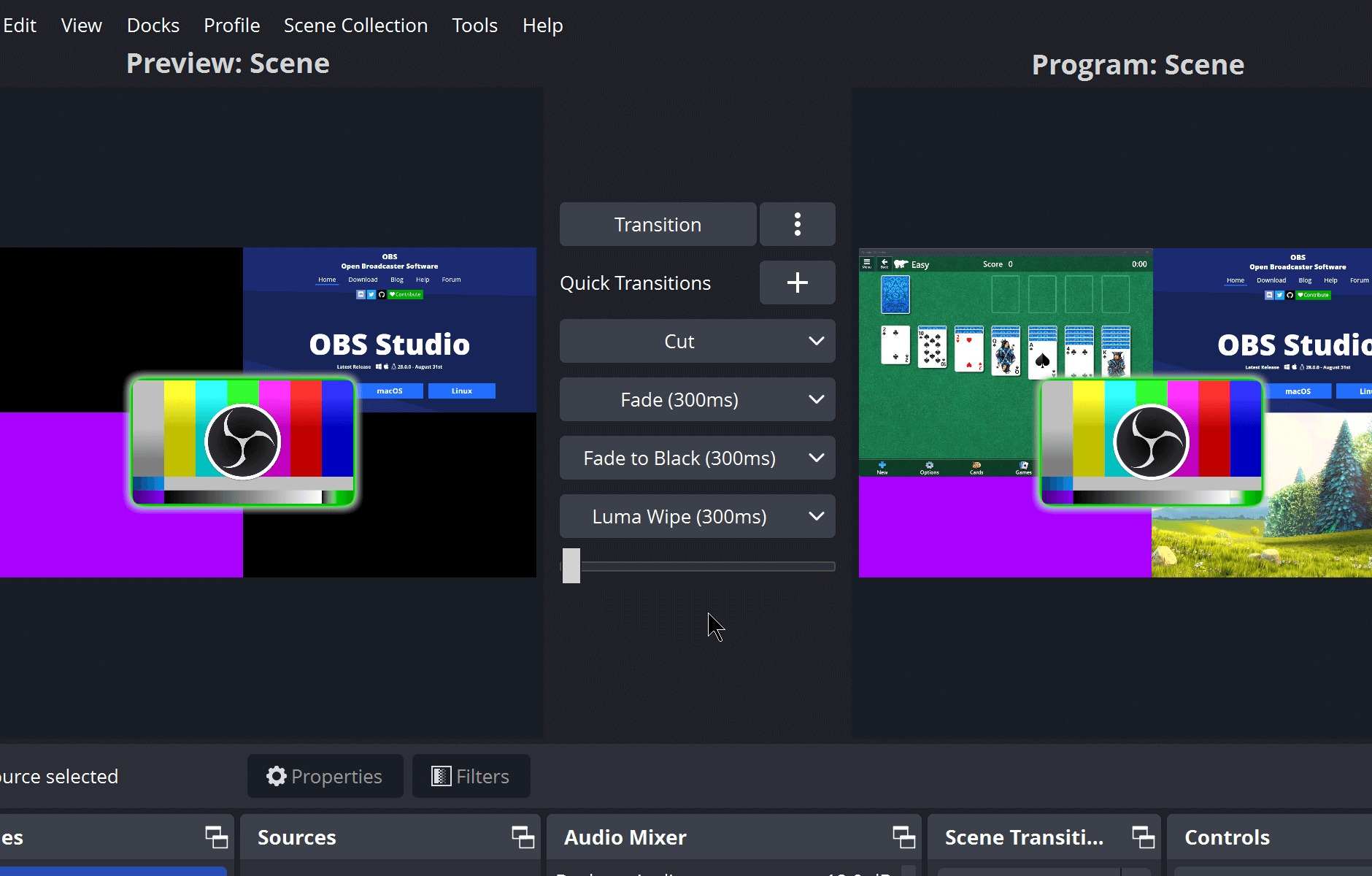
Step 1. Open a Facebook live stream on your browser.
Step 2. On OBS Studio, create a new scene.
Step 3. Click the “+” button on the Sources window to choose Window Capture.
Step 4. Select your browser window that streams the Facebook Live.
Step 5. Resize the captured source and check the audio mixer.
Step 6. Click the “Start Recording” button on the “Controls” window to start recording Facebook live.
Step 7. Stop recording anytime you want and then go to the “File” menu in OBS to open “Show Recording” to locate your recorded Facebook live video.
Comparison of 3 Methods for Facebook Live Recording
You could use any of the above-mentioned Facebook live streaming recorders to record Facebook Live stream for offline viewing. What are their differences? What is the best Facebook live stream recorder for you? Check the below comparison table.
| Feature | CleverGet Recorder | Xbox Game Bar | OBS Studio |
| Output formats | MP4, MKV | MP4 | MP4, MKV, FLV, MOV, TS, (GIF via plugin) |
| Output quality/maximum resolution | Up to 4K/60fps | 1080p | Up to 4K |
| Cost | Free | Free | Free |
| UI friendliness | Very friendly | Easy to use | Complicated |
| Recording contents | Record any video, even DRM protected. | Record whatever is displayed on screen. May result in black-screen in recording protected video. | Record whatever is displayed on screen. DRM protected videos are blocked for recording. |
| Recording area | Video area on browser | Primarily records active app/game window or entire screen | full screen, window, display, browser source, custom crops and scales |
| Schedule recording | Yes | No | No |
| Skip ad | Yes | No | No |
| Hardware acceleration | NVIDIA CUDA, AMD APP, Intel Quick Sync | Windows encoder stack | NVENC, AMD VCE, Intel QuickSync |
| System resource usage | Moderate | Low | Higher |
| Availability | Windows & Mac | Windows 10/11 only | Windows, Mac, Linux |
Alternative Method: Download Facebook Live Video Directly
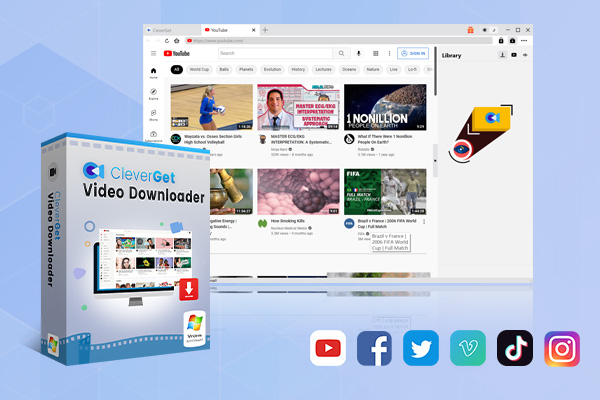
The official Facebook Live recording enables you to save your own live contents for future viewing in a certain period, but you could actually try to directly download Facebook Live streaming video for unlimited offline viewing and storing. You could turn to CleverGet Video Downloader to directly download Facebook Live video and regular videos.
-
- Download online videos, movies, TV shows, live streams, etc. from 1000+ websites.
- Download up to 8K video and 320 kbps audio without quality loss.
- Download online video to MP4/MKV/WEBM or other available popular formats.
- Batch download online videos and remove ads for ad-free offline viewing.
CleverGet Video Downloader is a professional video downloader program that could download online videos (including live streaming videos and on-demand videos) from various sites, including YouTube, Facebook, Instagram, Twitter, Vimeo, VEVO, and 1000+ other streaming services at up to 8K resolution. You could download Facebook Live streaming videos and save them in MP4 files, without any expiration period and playback limit.
Conclusion
In this post, you get 3 different Facebook Live stream recorder tools to freely record Facebook Live stream videos, plus one Facebook Live stream video downloader to directly download Facebook Live stream videos for offline viewing. Actually, you could make use of these video recording tools to record and save videos from various other streaming services such as YouTube, Twitter, Twitch, etc. All of these recorders are free to use. Just choose the one that meets your needs most.
-
How to Record Any Streaming Video on Mac Safely?Cassie/2026-03-30
-
How to Record Discord Audio on Windows, Mac & MobileCassie/2026-02-27
-
Instagram Viewer Guide: How to View Instagram AnonymouslyCassie/2026-01-30
-
Why Does YouTube Keep Pausing? Causes and Easy FixesCassie/2025-12-26
-
How to Record Facebook Live Stream for Free on PC?Cassie/2025-11-27
-
3 Best Methods to Play Blu-ray on VLCCassie/2025-10-30
-
3 Best Tools to Convert M3U8 to MP4 Without ErrorsCassie/2025-09-26
-
5 Best Methods to Open an ISO File EasilyCassie/2025-08-28
-

Discover 8 Video Platforms Like YouTube NowCassie/2025-08-13
-
Anonymous Mode: How to View Twitter Without an Account?Cassie/2025-05-26
-

4 Ways to Download Movies from FMoviesLeia/2024-05-30
-

Top 5 Disappointments of iOS 6 Apple Users GetTony/2012-09-27
-
6 Best URL to MP4 Converters to Download URL to MP4August/2023-09-11
-
Is Watchseries Safe to Use? What Are the Best Watchseries AlternativesPatrick/2024-11-01
-
23 iPhone 5 Rumors Listed from A to WTony/2012-09-13
-
2 Methods to Convert Flash EXE to Flash SWFTony/2012-08-28
-
Top 10 CouchTuner Alternatives for Free Movies & Shows 2026Max Will/2025-04-29
-
10 Best Project Free TV Alternatives to Watch Movies/Shows OnlineMax Will/2025-04-29
-

Top 8 Free YouTube Proxy Sites for YouTube Unblocked 2024Lumi/2024-09-24
-
How to Free Download iBOMMA Telugu Movies in HDMax Will/2025-04-29